




Intended Audience
Intended for people having difficulties with accessory views in the print panel. Especially on how to handle option changes in this accessory view.
Level: Intermediate
Problem
Lately for a project I was quite stuck on how to let the user set some options in the print panel. Especially the apple docs were not very helpful, so that's why I decided to write this quick how-to. I also searched the web if there was any information available from other sources, but did not find anything.
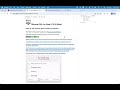
So here's the deal: I have an application that lets teachers create exams. Now the teacher can choose whether (s)he wants to print solutions along with the questions in such an exam (e.g. for teaching assistants whom correct the exams). The most intuitive place to put this option is in the print panel itself. There we add a checkbox "Print solutions". You can see this on the picture below, note that the name of the application is Questions.

So now we know what our goal is, next we take a look on how we reach this goal.
Solution
The checkbox with "print solutions; is contained into a custom view, which is augmented to the print panel. This is also known as an accessory view. I simply add the view to my MainMenu.nib and bind the value of the checkbox to a custom key, named PrintSolutions, in the Shared Defaults. Don't worry if no Shared Defaults instance is shown in MainMenu.nib yet, it will be automatically added when you bind a value to it.

Now we can query the state of PrintSolutions from anywhere in our applications by asking the shared defaults. We could do this like this:
[[NSUserDefaultsController sharedUserDefaultsController] values] valueForKey:@"PrintSolutions"];
To be able to access our PrintAccessoryView (which contains our checkbox) from code we add an outlet in our AppDelegate (or whichever class that catches the print action).
IBOutlet NSView *printAccessoryView;
The next step is to add our view to the print panel. This is where my approach differs from Apple's documentation. But first how the docs of Apple do it:
- (void)print:(id)sender;
{
 // create a printable view for our exam and create a print operation with this view
 ...
 NSView *examView = [examPrintView printableView];
    NSPrintOperation *op = [NSPrintOperation printOperationWithView:examView];

    [op setAccessoryView:printAccessoryView];
    [op runOperation];
}
So first we create our view for the exam, not knowing whether the user wants the solutions or not, and create a printoperation that will print this view. Next, we add our accessory view to the panel, so that user can make his choice whether he wants the answers printed or not. Finally we fire the operation away by calling runOperation. When run operation is called the print panel shows up and then our user can click on the checkbox.
The problem is, that it is already too late now. The printable view for the exam has already been created and passed to the printoperation for printing. Whatever the user clicks in the printing panel will not have any effect. Thus, we need a solution where we first show the panel and afterwards create the view and fire up the printoperation.
Here is my solution:
- (void)print:(id)sender;
{
 NSPrintPanel *printPanel = [NSPrintPanel printPanel];
 [printPanel setAccessoryView:printAccessoryView];

 [printPanel beginSheetWithPrintInfo:[NSPrintInfo sharedPrintInfo]
       modalForWindow:[self window]
          delegate:self
       didEndSelector:@selector(printPanelDidEnd:returnCode:contextInfo:)
       contextInfo:nil];
}
In this approach we just create a print panel and fire away the panel with a callback to the
printPanelDidEnd:returnCode:contextInfo:selector. And here's what this looks like:
- (void)printPanelDidEnd:(NSPrintPanel *)printPanel returnCode:(int)returnCode contextInfo:(void *)contextInfo
{
 if (returnCode == NSOKButton) {
  BOOL printSolutions = [[defaults valueForKey:@"PrintSolutions"] boolValue];

  // Create the printable view with or without the solutions
  ...
  NSView *examView = printSolutions ? [examPrintView printableView] : [examPrintView printableViewWithSolutions];

  // PrintOperation
  NSPrintOperation *printOperation;
  printOperation = [NSPrintOperation printOperationWithView:examView printInfo:printInfo];
  [printOperation setShowsPrintPanel:NO];
  [printOperation setShowsProgressPanel:YES];
  [printOperation runOperation];

  // Clean up the sheet
  [NSApp endSheet:[[self window] attachedSheet]];
  [[[self window] attachedSheet] close];
 }
}
Now we have control over our view before we run the printoperation. So we first can check the value of our defaults and build up a different view accordingly. Pay attention that you also turn off showing of the print panel in the print operation with setShowsPrintPanel:NO. Otherwise you will show the print panel twice.
Conclusion
So now we've learned how to read the options set by the user in the accessory view of the print panel, before running a print operation. I guess the approach found in Apple's docs also works, but is a little trickier and less efficient. When the user makes a change in the accessory view, this could fire up an action that changes the printable view somehow. For example when the user clicks the checkbox, an action
togglePrintSolutions:could be fired. This method could in its turn then rebuild the view that was passed to printoperation, etc...
This is an elegant solution and I am puzzled why Apple didn't put this in its Printing documentation. Or maybe I just missed it. Anyway, I hope this proves helpful to someone.
Acknowledgments
I did not come up with this solution entirely by myself. When I could not find any documentation on this, I started looking at open source projects, to see how they solved it. The first one I found which solved my problem was Smultron by Peter Borg. So I am very grateful to Peter for his code, and I owe the solution entirely to him. Incidentally, it even looks to be a nice text editor that is well coded. I advise everyone to check it out.

